> ## Documentation Index
> Fetch the complete documentation index at: https://specterops-bed-6715-managed-id-auth-method.mintlify.site/llms.txt
> Use this file to discover all available pages before exploring further.
# Configure a Personal Access Token
> Create a Fine-grained Personal Access Token for GitHub data collection.
 This page covers creating a Fine-grained Personal Access Token (PAT) for GitHub. PATs have a rate limit of **5,000 API requests per hour**.
For higher rate limits, see [Configure a GitHub App Installation](/openhound/collectors/github/configure-app).
## Create a Fine-grained Personal Access Token
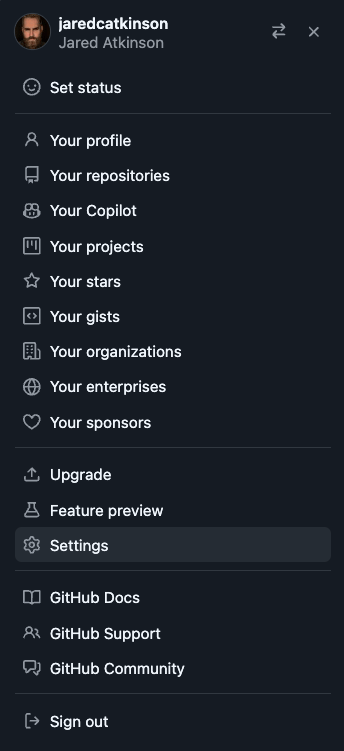
Navigate to your GitHub **Profile** > **Settings**.
This page covers creating a Fine-grained Personal Access Token (PAT) for GitHub. PATs have a rate limit of **5,000 API requests per hour**.
For higher rate limits, see [Configure a GitHub App Installation](/openhound/collectors/github/configure-app).
## Create a Fine-grained Personal Access Token
Navigate to your GitHub **Profile** > **Settings**.
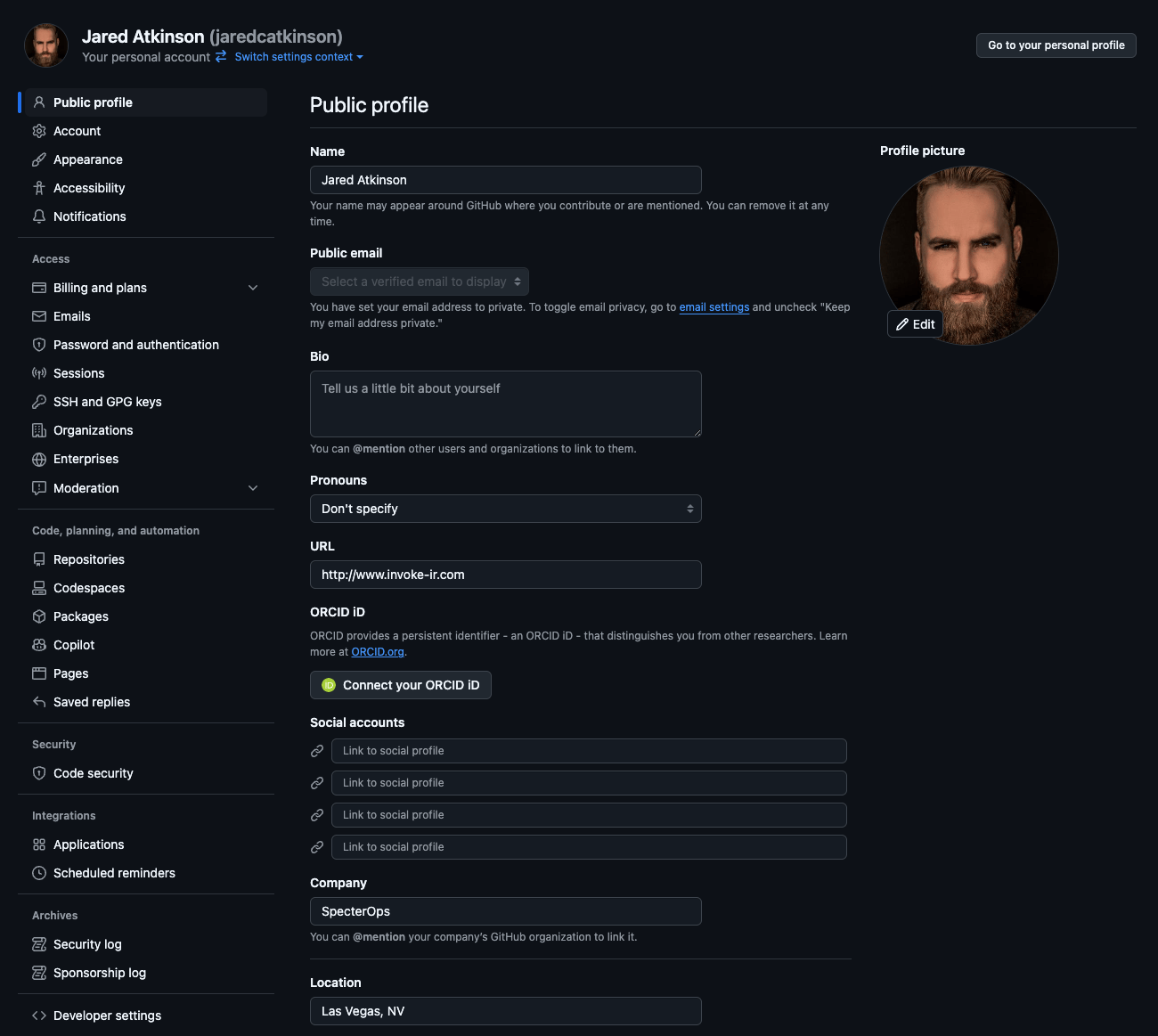
 Go to **Developer settings** (bottom left).
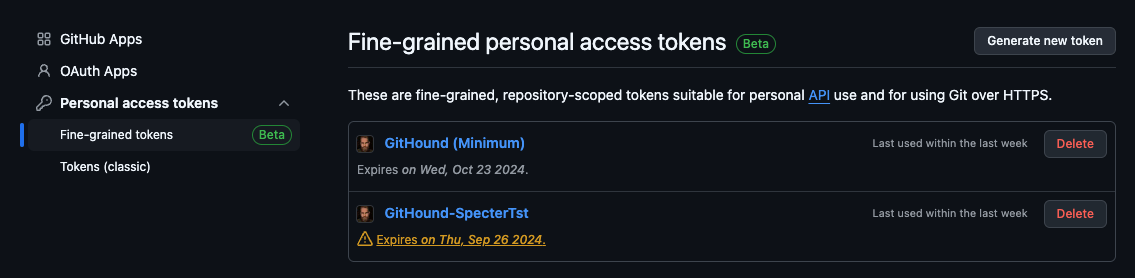
 Navigate to **Personal access tokens** > **Fine-grained tokens**.
 Click **Generate new token**.
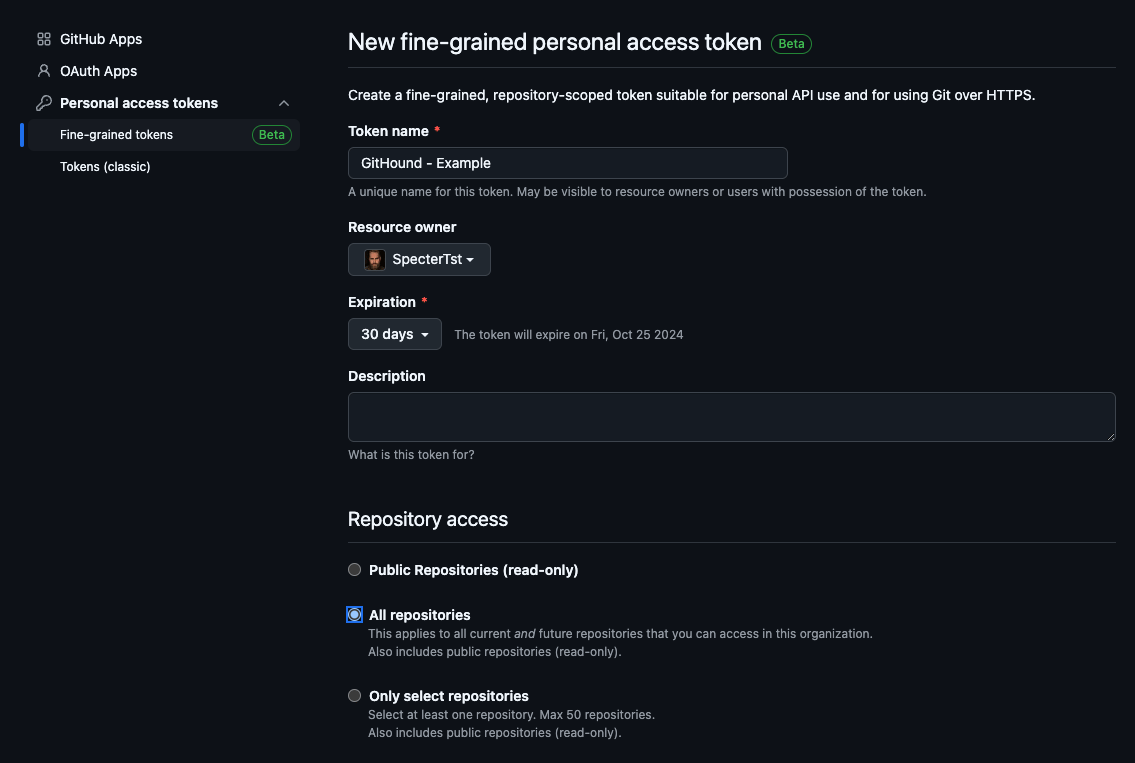
 Set the **Resource owner** to your target organization.
Under **Repository access**, select **All repositories**.
Set the **Resource owner** to your target organization.
Under **Repository access**, select **All repositories**.
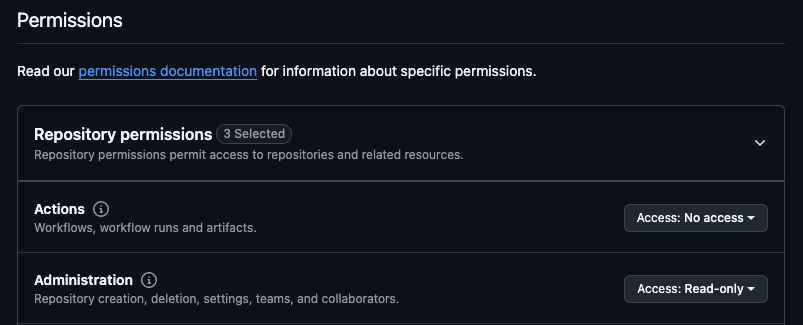
 Configure the required [repository and organization permissions](/openhound/collectors/github/collect-data#required-permissions) to **Read-only**.
 You must save the token value (preferably in a password manager) at this point. You will not be able to recover it later.
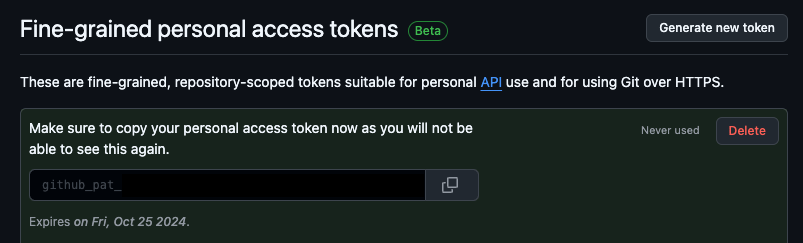
Click **Generate token** and copy the token value.
You must save the token value (preferably in a password manager) at this point. You will not be able to recover it later.
Click **Generate token** and copy the token value.
 For organizations with SAML SSO enabled, you must [authorize the PAT for SSO access](https://docs.github.com/en/enterprise-cloud@latest/authentication/authenticating-with-saml-single-sign-on/authorizing-a-personal-access-token-for-use-with-saml-single-sign-on) after creating it.
## Next Steps
After creating a token, proceed to [configure the collector](/openhound/collectors/github/collect-data) to start collection.
For organizations with SAML SSO enabled, you must [authorize the PAT for SSO access](https://docs.github.com/en/enterprise-cloud@latest/authentication/authenticating-with-saml-single-sign-on/authorizing-a-personal-access-token-for-use-with-saml-single-sign-on) after creating it.
## Next Steps
After creating a token, proceed to [configure the collector](/openhound/collectors/github/collect-data) to start collection.